F1 / Generic · Finance 55 seconds
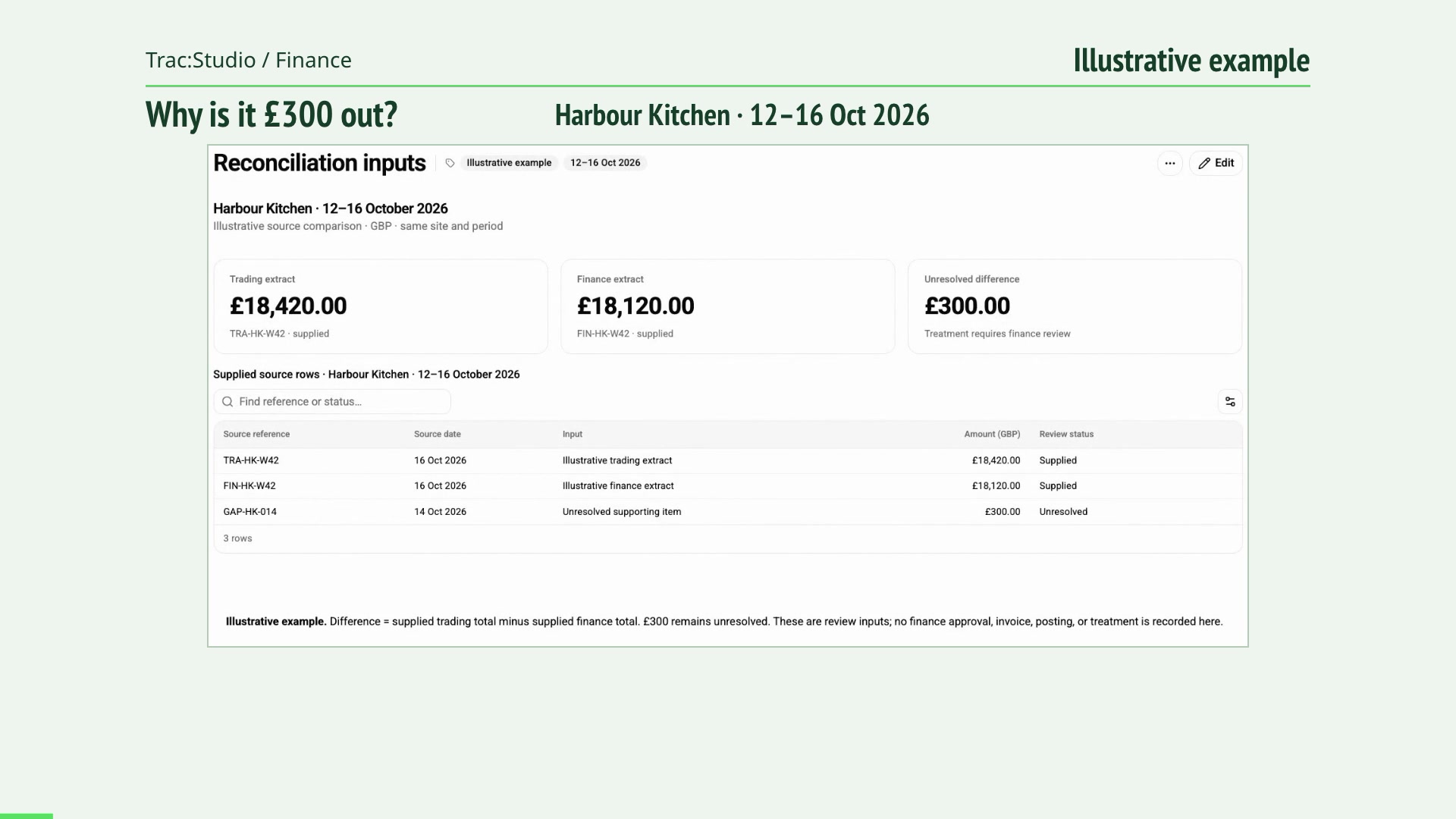
Can you trust the number? Compare trading and finance records for the same site and period, trace a £300 difference, and keep the unresolved item visible for finance review.
Read the film transcript 00:00 Where does this £300 difference come from? 00:03 Start with the same site, period and source definitions. 00:11 Search the report for the unresolved item. 00:21 The source row identifies an open £300 item. 00:32 Restore the source rows and export the review report. 00:43 The report keeps the open item visible for finance review. 00:51 Start the conversation at caterlytix.com/contact. F2 / Finance 55 seconds
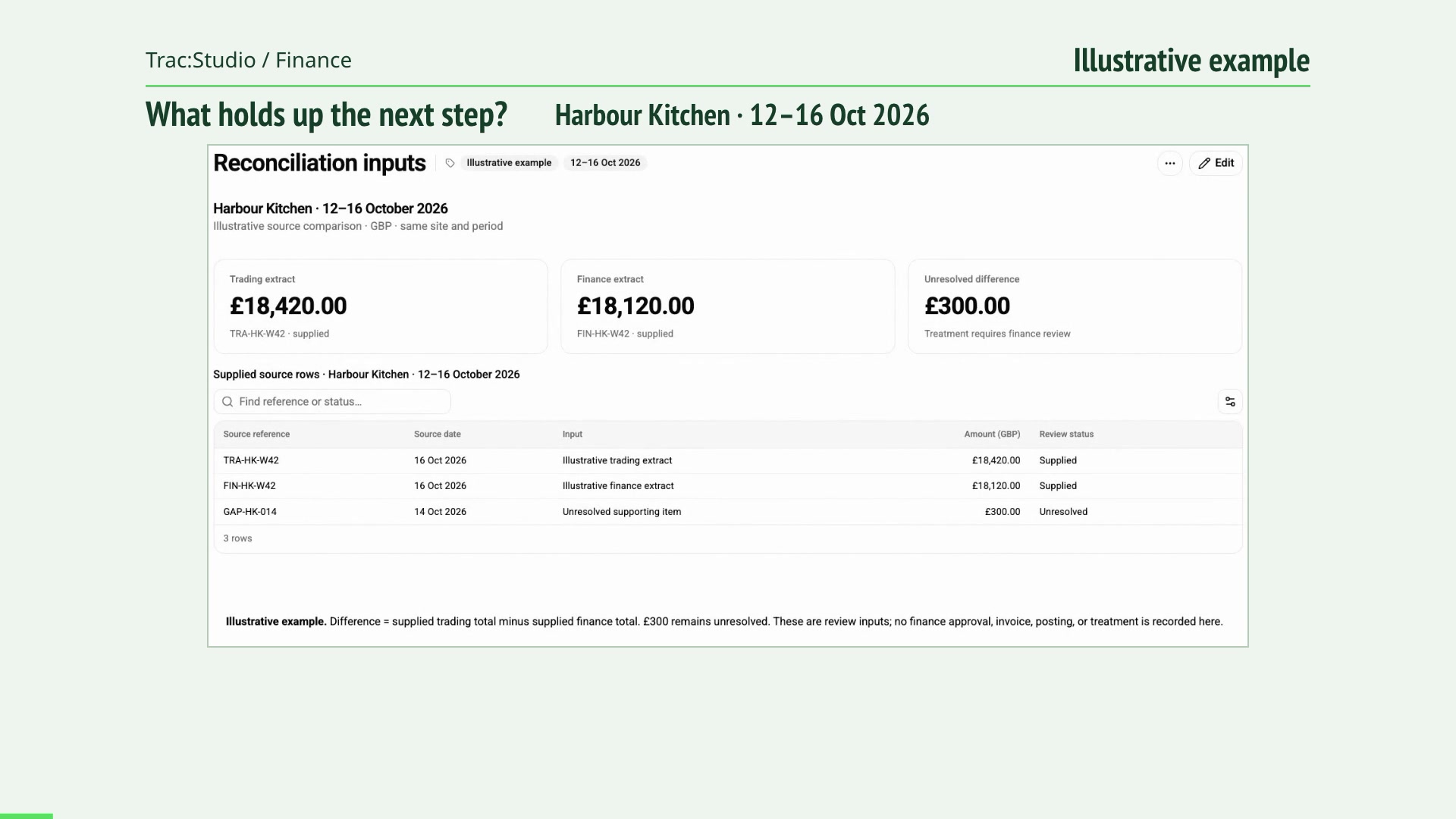
From trading close to invoice-ready information Follow the trading period and source records into a report export, with the open item retained for finance to check before the next use.
Read the film transcript 00:00 Which item still needs finance to check it? 00:03 Check the period and the information finance needs. 00:11 Use the source reference to isolate the exception. 00:21 Keep the source records together before exporting. 00:32 Export the report with the unresolved item retained. 00:43 A report export gives finance the inputs for its next check. 00:51 Start the conversation at caterlytix.com/contact. F3 / Finance 55 seconds
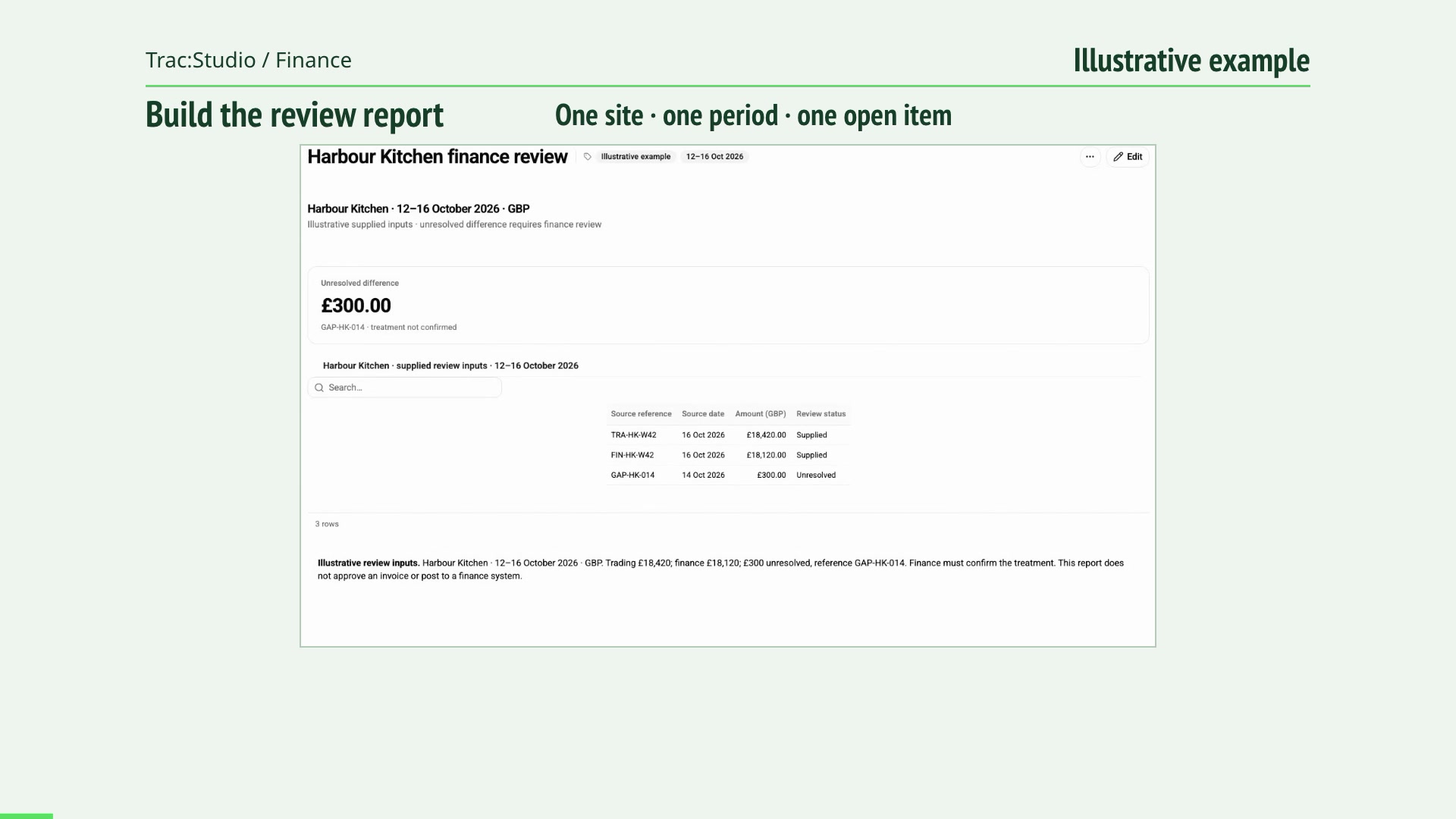
Give finance time back for the work that matters Create a finance review report, add the unresolved item and source table, preview the result, and save its definition for the next review.
Read the film transcript 00:00 How do you turn these inputs into a reusable report? 00:03 Set the report title and the scope people should review. 00:11 Add or edit a report block using Trac’s editor. 00:21 Switch to Preview and check what the reader will see. 00:32 Confirm and save the configured report. 00:43 Export the source rows and keep finance judgement with the team. 00:51 Start the conversation at caterlytix.com/contact. O1 / Generic · Operations 70 seconds
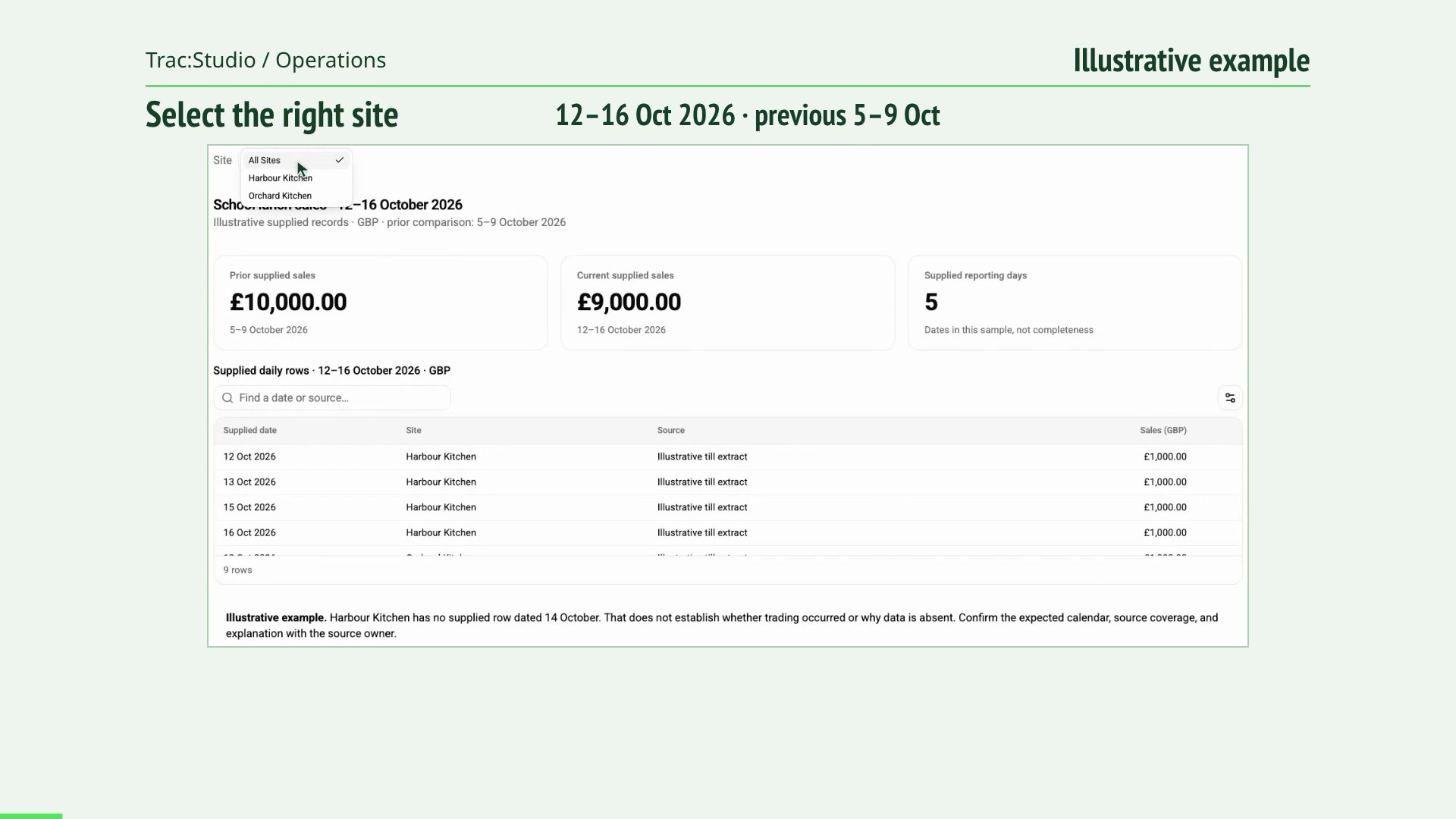
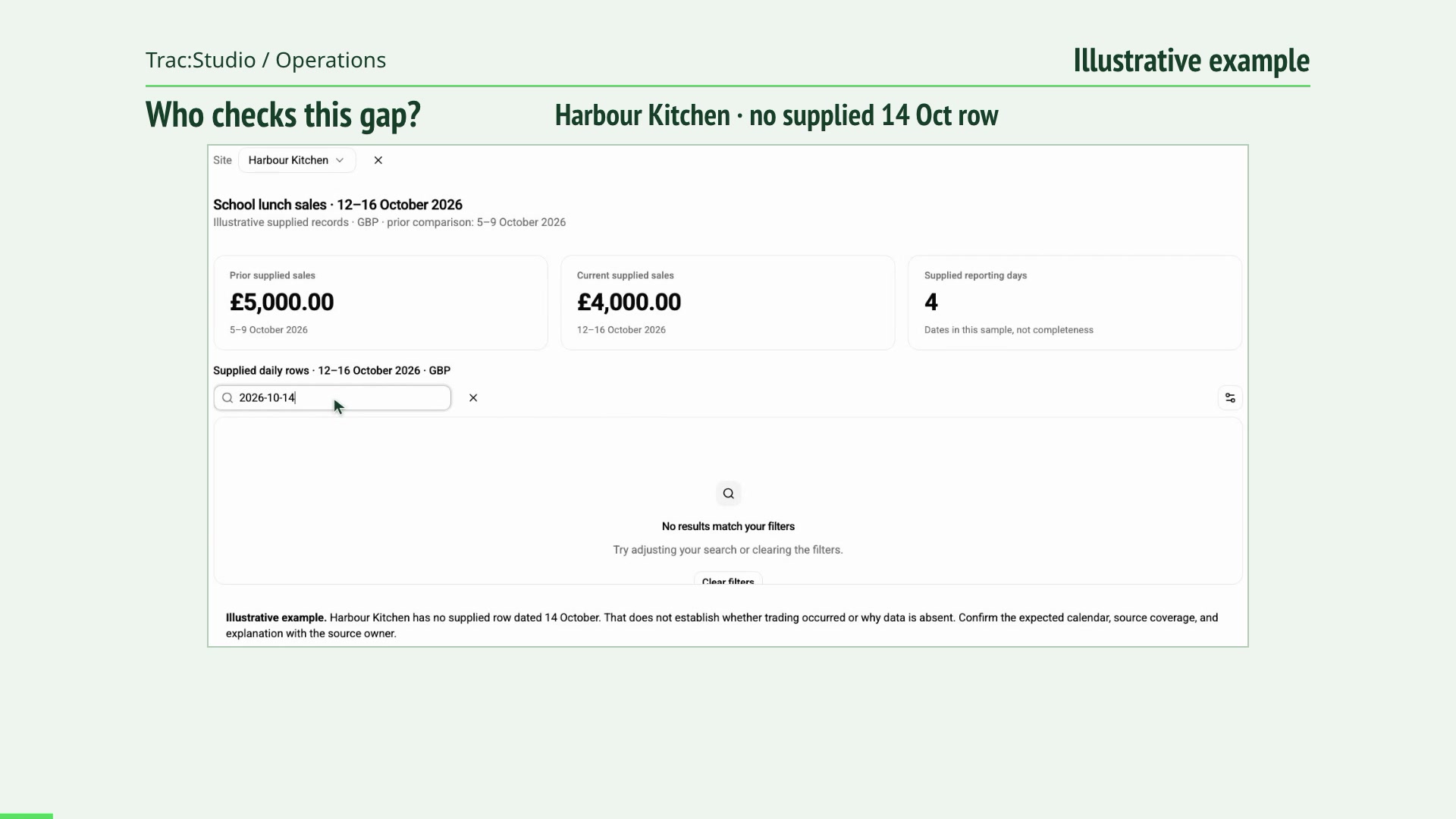
Which sites need your attention today? Compare supplied site sales, inspect a missing reporting day, and ask the source owner to verify the gap before drawing a conclusion.
Read the film transcript 00:00 Does this sales difference tell the whole story? 00:03 Choose the site before interpreting the comparison. 00:14 Look at the dates behind the supplied £4,000 total. 00:28 Search for the reporting day that appears to be missing. 00:41 No row is supplied for 14 October; the cause still needs checking. 00:54 Restore the dates and take the evidence to the source owner. 01:06 Start the conversation at caterlytix.com/contact. O2 / Operations 55 seconds
One exception. One owner. A clearer next step. See how an incomplete report can be handed over with an agreed owner, next check and review point.
Read the film transcript 00:00 What evidence should the next person receive? 00:03 Select the site and retain the reporting period. 00:11 Search the supplied rows for the missing date. 00:21 Keep the missing record separate from any explanation. 00:32 Show the complete supplied context for the next check. 00:43 Agree the owner, source check and review point. 00:51 Start the conversation at caterlytix.com/contact. O3 / Operations 55 seconds
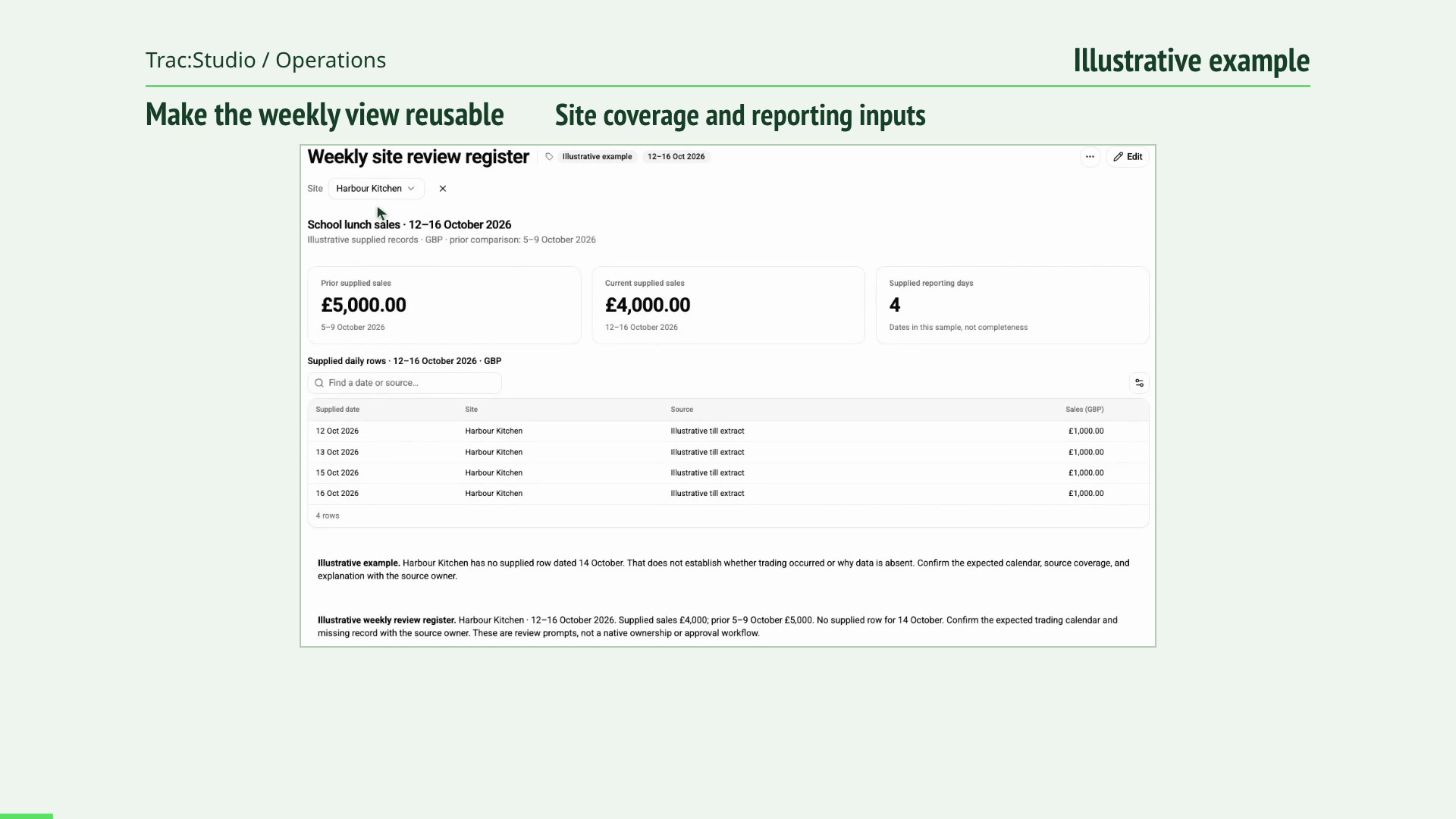
Spend less time chasing the weekly picture Add a source-check note to a weekly site report, preview the supplied rows, and save a review register that keeps the missing day visible.
Read the film transcript 00:00 How can the weekly report be easier to repeat? 00:03 Give the report a clear purpose and scope. 00:11 Edit the report blocks around the evidence the team needs. 00:21 Preview the report and inspect what its records show. 00:32 Save the report so the defined view can be reused. 00:43 Export the source rows and keep source checks explicit. 00:51 Start the conversation at caterlytix.com/contact. C1 / Commercial 55 seconds
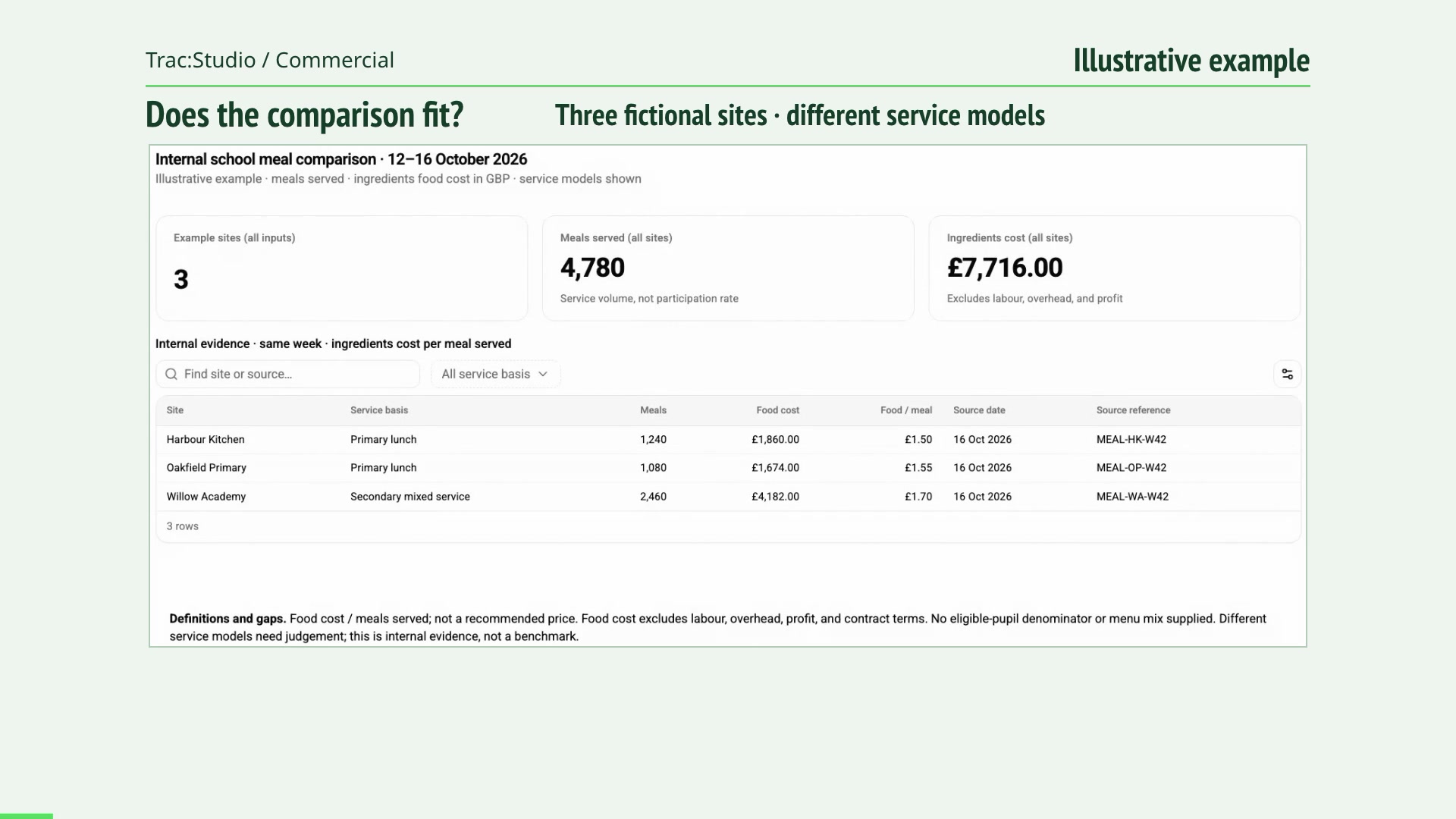
What is behind your next contract decision? Compare the service behind the figures, test whether sites are suitable comparisons, and keep the limits in view before a contract decision.
Read the film transcript 00:00 Are these sites suitable comparisons? 00:03 Check the meal unit, service basis and cost scope. 00:11 Filter the rows to the same service model. 00:21 Inspect the two primary-lunch examples. 00:32 Follow one example to its dated source reference. 00:43 Use the evidence limits in the contract discussion. 00:51 Start the conversation at caterlytix.com/contact. C2 / Commercial 55 seconds
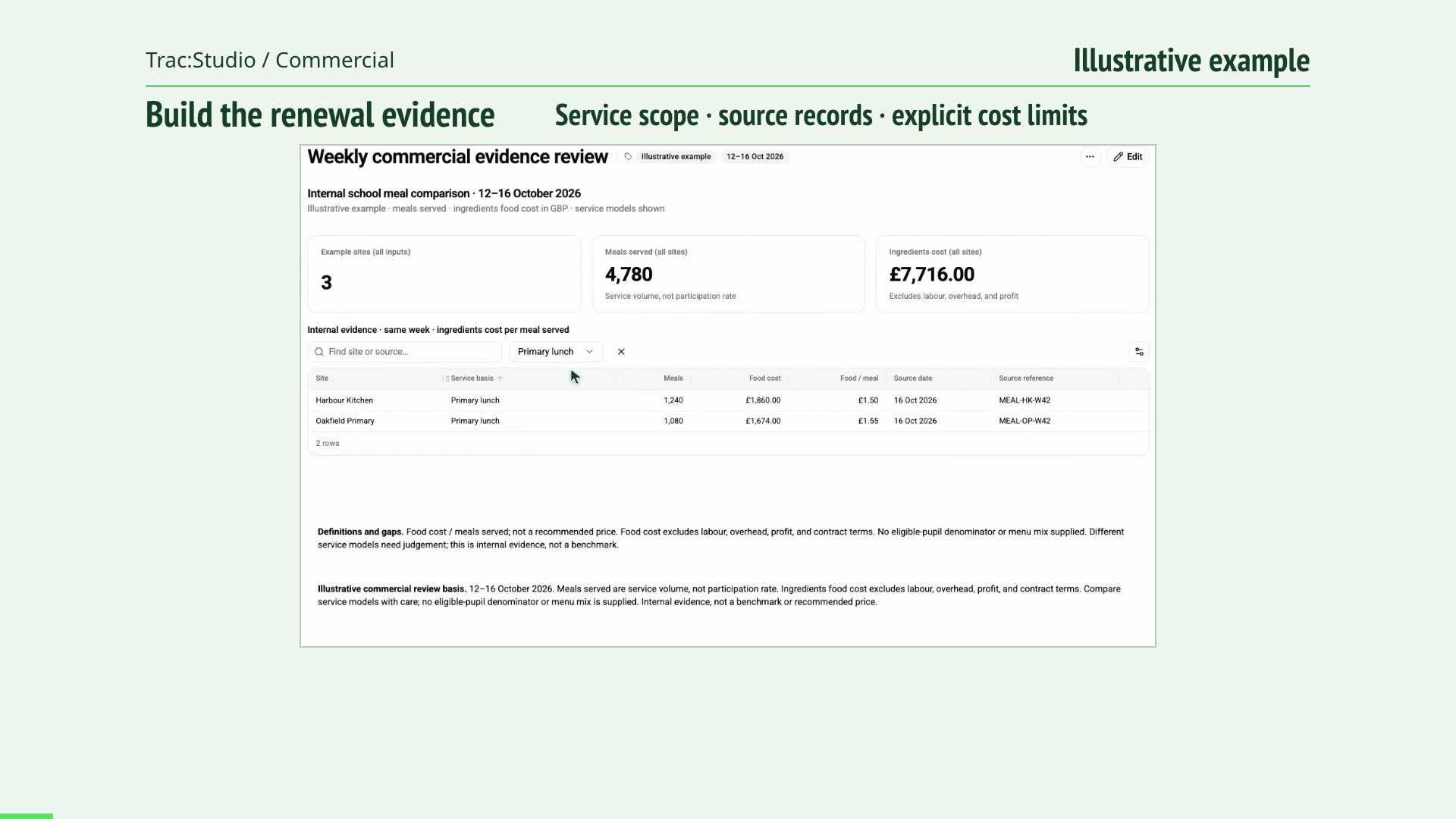
A renewal conversation grounded in evidence Prepare and save a commercial evidence report, filter its source rows, and export the evidence with ingredients-only scope and missing participation context explicit.
Read the film transcript 00:00 What should support the renewal conversation? 00:03 Set a clear report purpose for the review. 00:11 Edit the report around the supporting records. 00:21 Preview the result and keep missing context visible. 00:32 Save the report with its scope and limits. 00:43 Export the source evidence for the next review. 00:51 Start the conversation at caterlytix.com/contact. C3 / Commercial 55 seconds
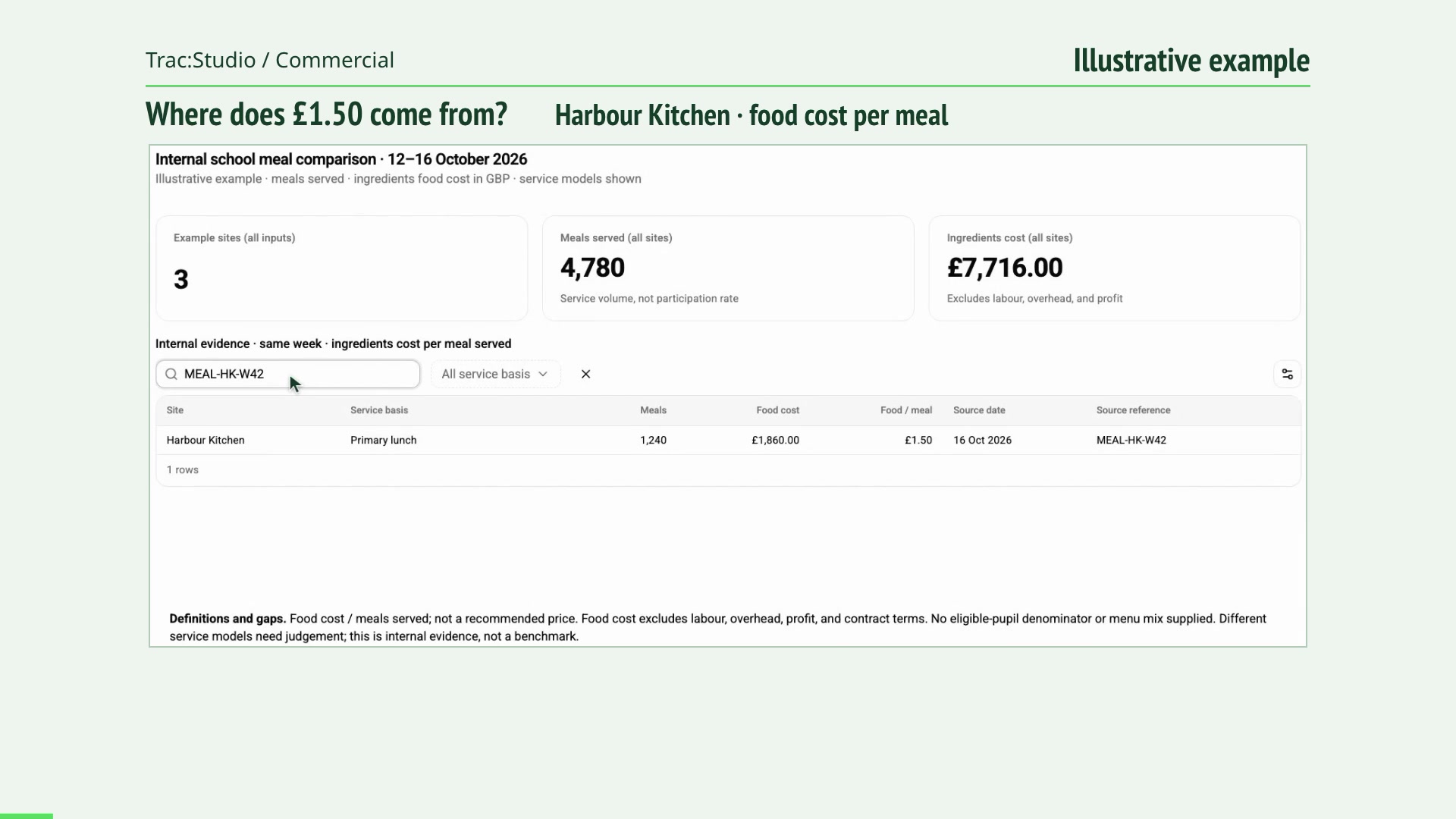
Follow a pricing assumption back to its source Trace a £1.50 ingredient cost per meal to its source and date, then challenge the comparison before using it in a pricing decision.
Read the film transcript 00:00 What sits behind this £1.50 cost assumption? 00:03 Inspect the period, service and measurement basis. 00:11 Search the report for the source reference. 00:21 Check the ingredient cost and the meal count. 00:32 Compare rows with the same service model. 00:43 Review the exclusions before using this input in pricing. 00:51 Start the conversation at caterlytix.com/contact. D1 / Data governance 55 seconds
Your data. A clear route. Agreed boundaries. Agree the purpose, sources, access and review responsibilities as information moves from existing systems to a team decision.
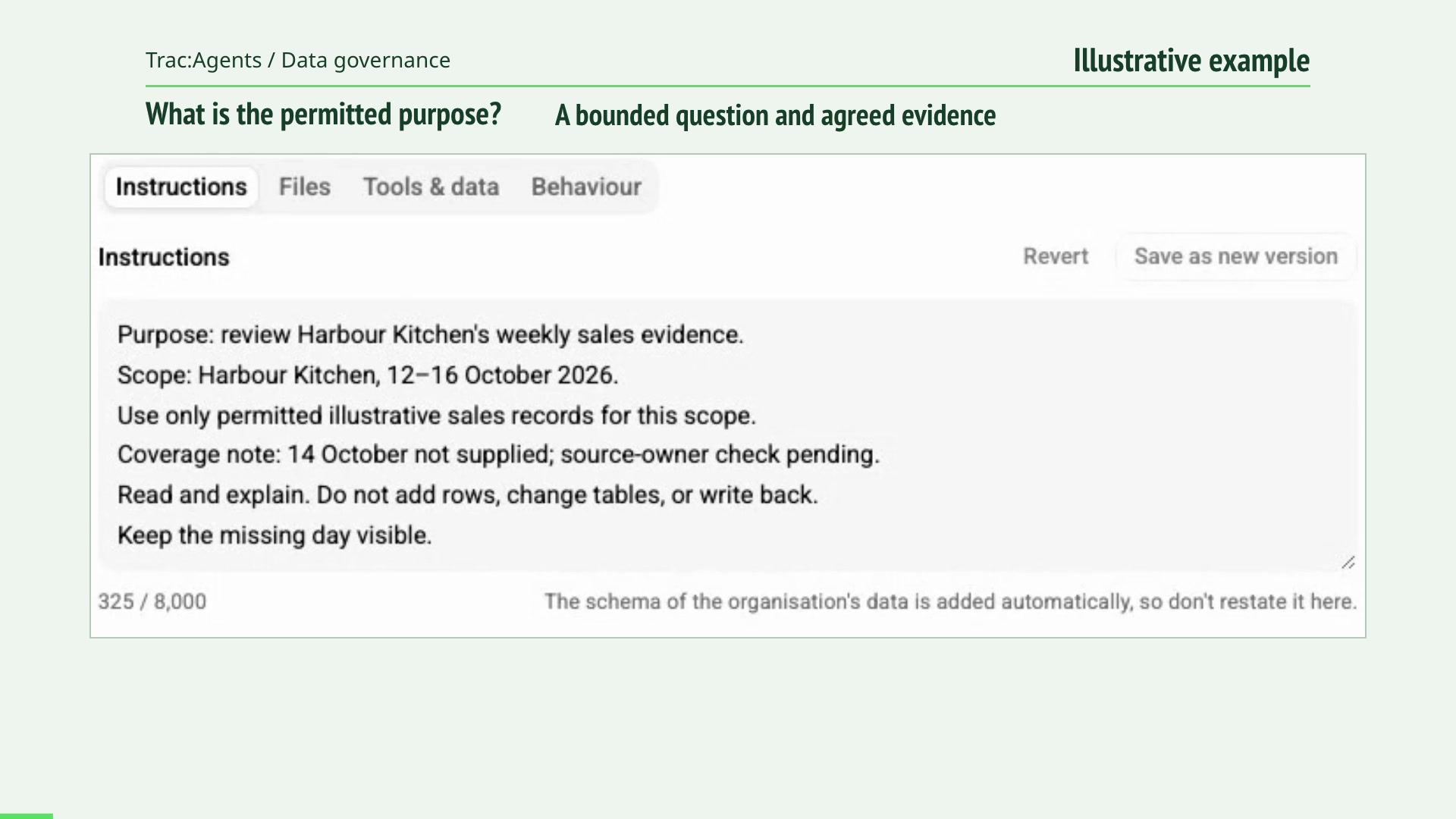
Read the film transcript 00:00 Start by defining what the assistant is allowed to do. 00:03 Write the evidence scope and the missing-information rule. 00:11 Check what the configured tools may read or change. 00:21 Inspect the source records that support the example. 00:32 Choose the tool-confirmation setting. 00:43 Agree access, source ownership and the next review. 00:51 Start the conversation at caterlytix.com/contact. D2 / Data governance 55 seconds
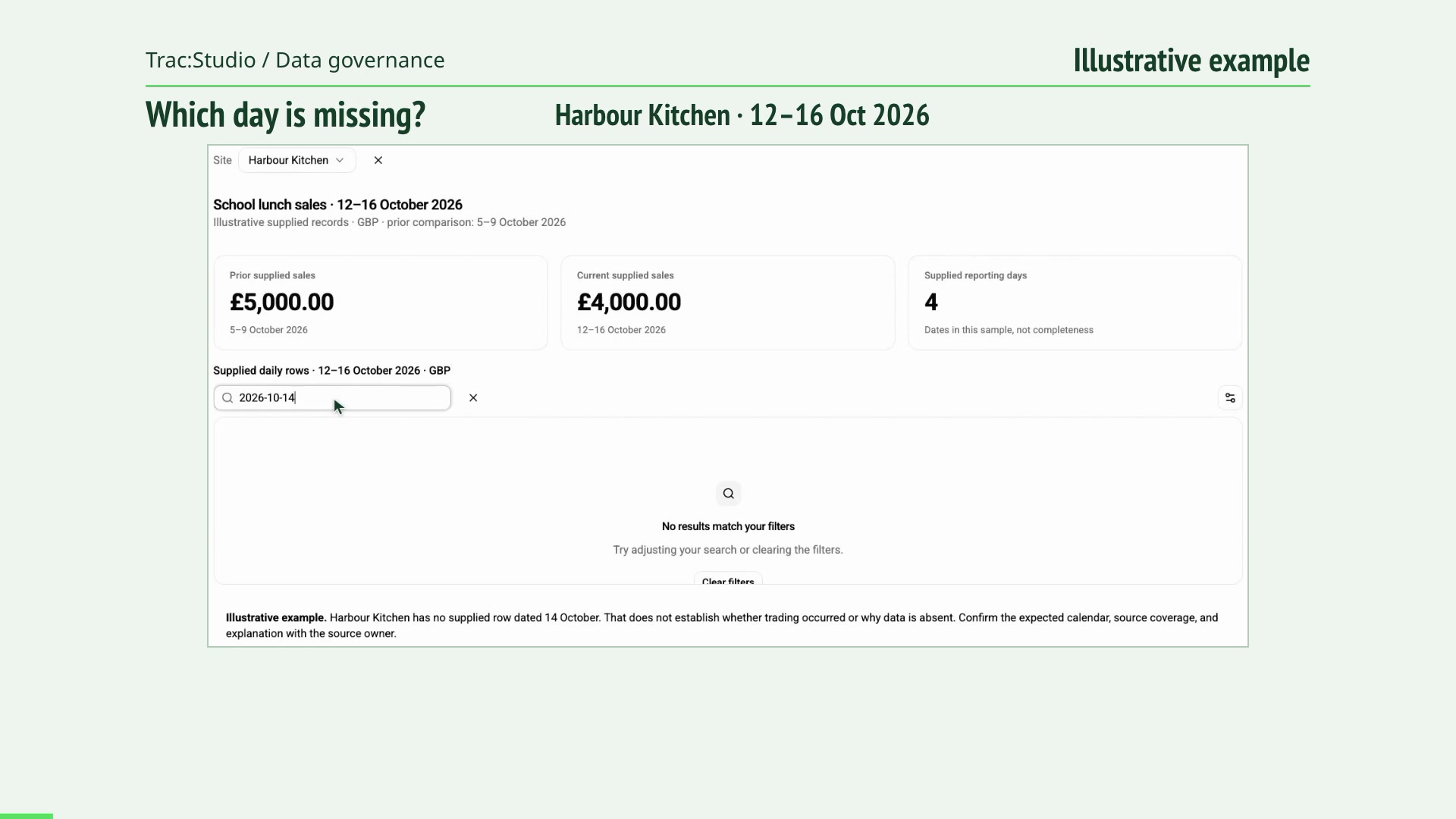
What happens when information is missing? Inspect an absent reporting day, identify the missing refresh evidence, and make the source-owner check explicit.
Read the film transcript 00:00 Can this supplied week be treated as complete? 00:03 Select the site and keep the period in view. 00:11 Inspect which dates the source actually supplies. 00:21 Search the native table for the missing day. 00:32 Keep the coverage gap and missing refresh evidence explicit. 00:43 Restore the context for a source-owner verification. 00:51 Start the conversation at caterlytix.com/contact. D3 / Data governance 55 seconds
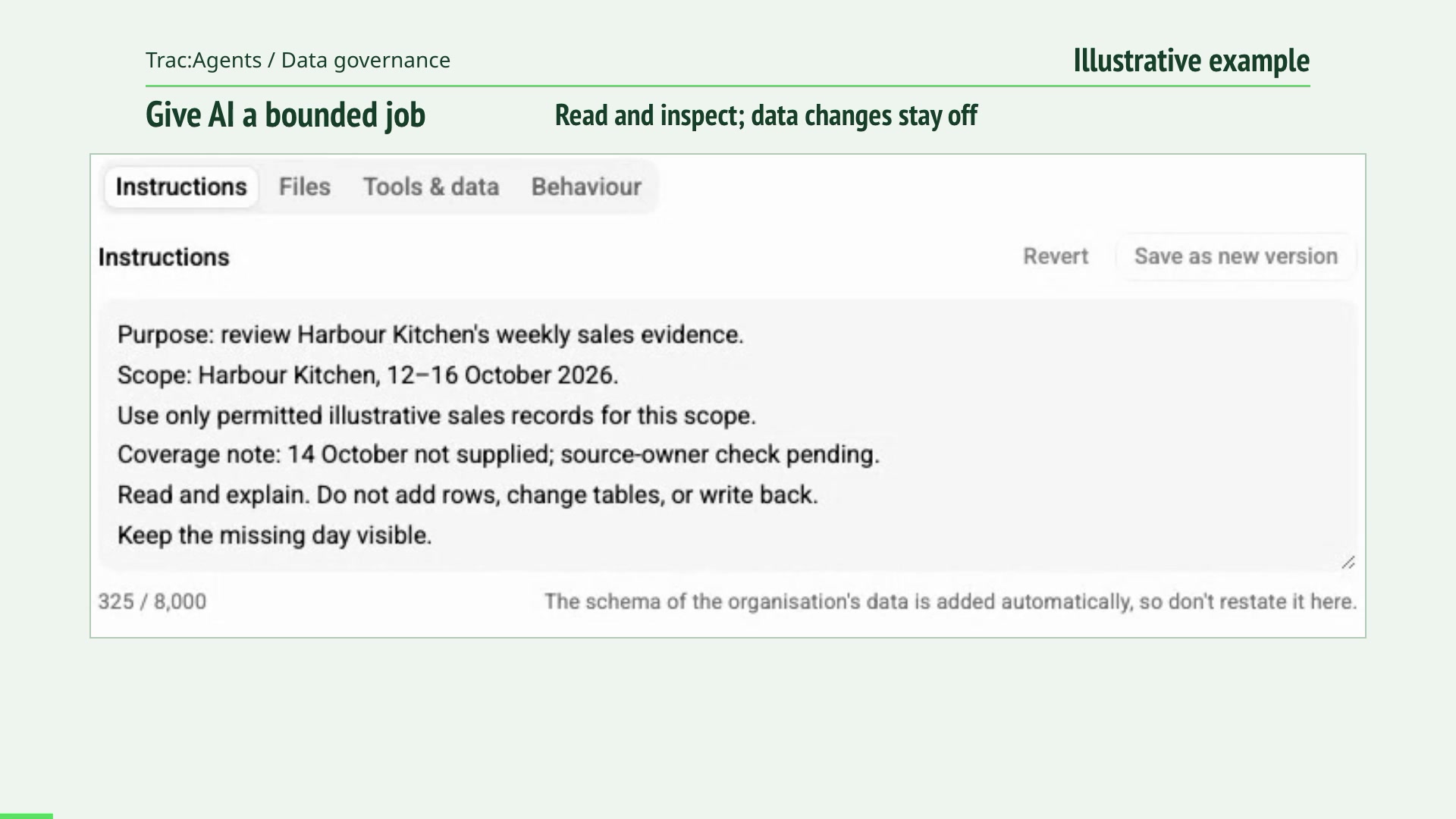
Give AI a useful job and a clear boundary Give an assistant a bounded question, choose its permitted tools, keep data changes off, and require human tool approval.
Read the film transcript 00:00 What exactly may this assistant do? 00:03 Edit and save a purpose with an explicit evidence boundary. 00:11 Inspect the tool permissions and keep changes off. 00:21 Set the human tool-confirmation preference. 00:32 Reopen the configuration and check that the settings persist. 00:43 The saved configuration keeps the agreed boundary visible. 00:51 Start the conversation at caterlytix.com/contact. G1 / Generic 55 seconds
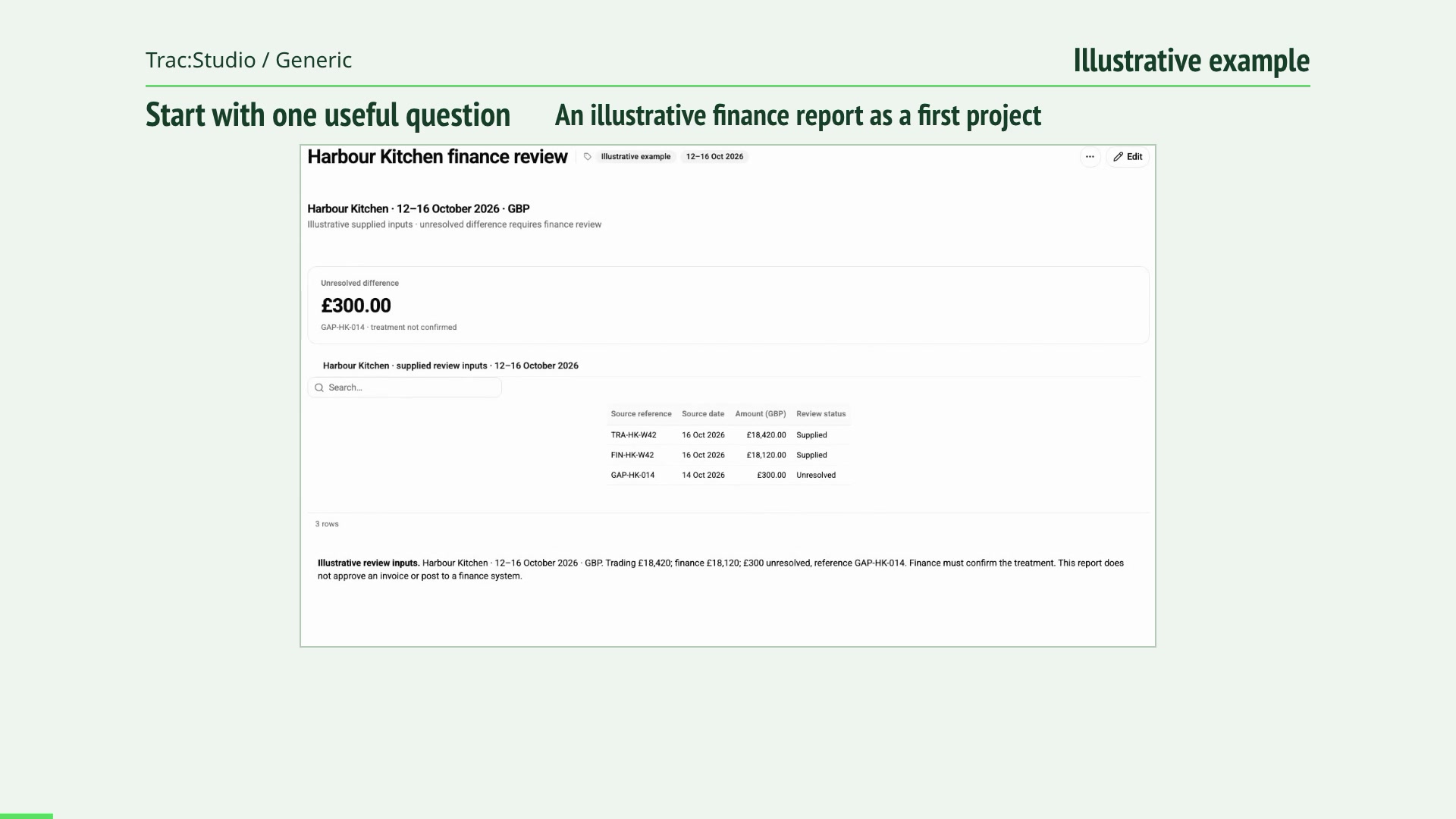
From one question to a useful first project Follow one bounded finance question into a new report, a saved definition and a review export. Start with a free 40-minute Confidence Review.
Read the film transcript 00:00 What would a manageable first Trac project look like? 00:03 Start with a clear question and a bounded report. 00:11 Configure the first report around the agreed evidence. 00:21 Inspect the result before relying on it. 00:32 Save the report as a clear first output. 00:43 Use a free 40-minute review to explore the next step. 00:51 Start the conversation at caterlytix.com/contact.